About eWeLink
One app, countless devices eWeLink is the app platform that supports multiple brands of smart devices including Sonoff. It enables connections between diversified smart hardware and integrates popular Smart Speakers such...
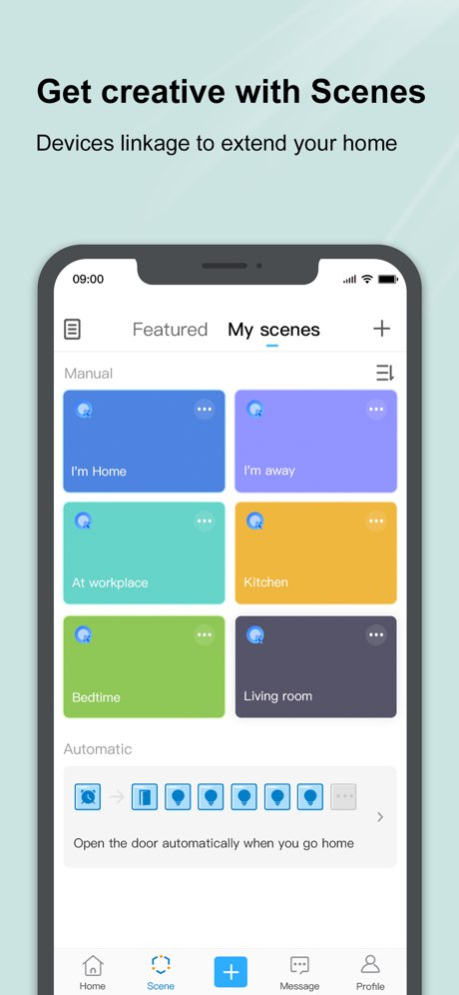
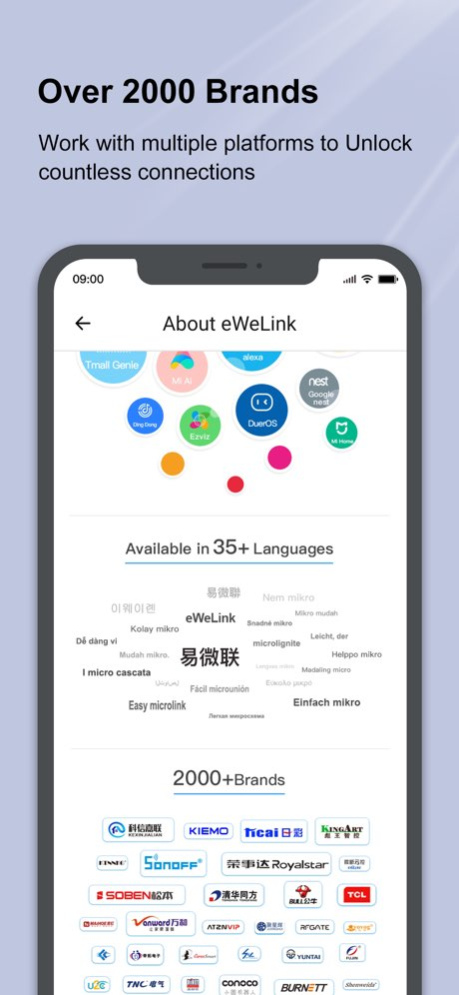
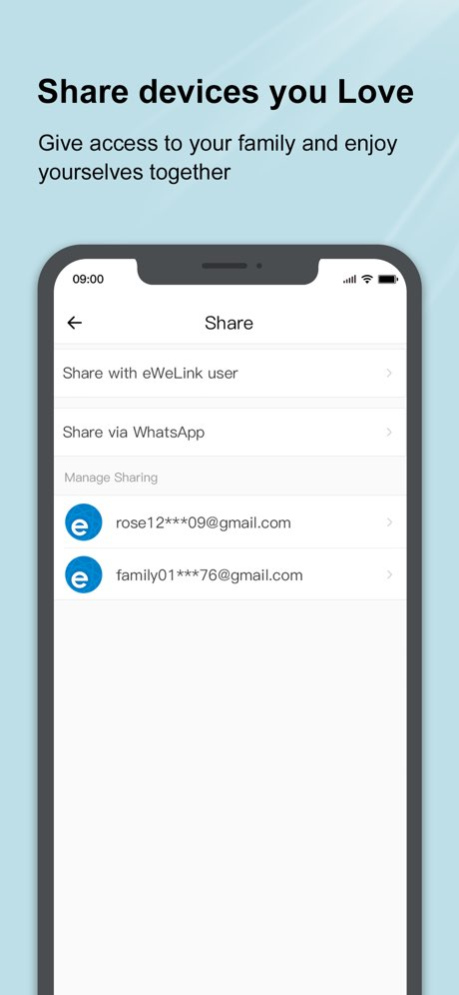
One app, countless devices eWeLink is the app platform that supports multiple brands of smart devices including Sonoff. It enables connections between diversified smart hardware and integrates popular Smart Speakers such as Amazon Alexa, Google Home. Moreover, eWeLink works with IFTTT, serving as the ultimate home control center. Features Remote control, Schedule, Timer, Loop timer, Inching, Interlock, Smart Scene, Sharing, Grouping, LAN mode, etc. Compatible Devices Smart curtain, Door Locks, Wall Switch, Socket, Smart Light Bulb, RF Remote Controller, IoT Camera, Motion Sensor, etc. Using voice command Connect Google Home with Smart We Link. Connect Amazon Alexa with the “eWeLink Smart Home” skill. IFTTT, Do more with eWeLink such as “Track your eWeLink 1 channel switch usage on Google spreadsheet” or “Turn on/off your eWeLink 1 channel switch as you leave home” eWeLink works with everything Our team commits to fulfill the mission, that is, “eWeLink Support, Works with everything”. We spare every effort in expanding the list of eWeLink Support brands and products. eWeLink is also a full-fledged IoT Smart Home turnkey solution which includes WiFi/Zigbee/GSM/Bluetooth module and firmware, PCBA hardware, global IoT SaaS platform, and open API, etc. It enables brands launching their own smart devices at minimal time and cost. Keep in touch For technical support: support@ewelink.zendesk.com Our official website: http://www.ewelink.cc/en Get the latest news on Facebook: https://www.facebook.com/ewelink.support Auto-renewed eWeLink Advanced Plan --Advanced Benefits: all eWeLink advanced features: Web Version, Keyboard Shortcuts, Turning Phones into Cameras, Capacity Expansion, and more. --Billing Cycle: 1 Month (Subscribe Monthly for all advanced features), 12 Months (Subscribe Annually for all advanced features) --Subscription Fee: $1.9, per month with monthly billing; $9.9, per year with annual billing. --Payment: Payment will be charged to your iTunes account at confirmation of purchase. --Cancel the auto-renewal: You can manage your subscription and/or turn off auto-renewal by visiting your iTunes/Apple ID Account Settings at least 24-hour before the billing date. --Renew: Payment will be deducted automatically from your iTunes account within 24 hours before the billing date. After deducted successfully, your billing cycle will extend to the next billing date automatically. --Privacy Policy: https://appcms-src.coolkit.cn/ewelink/privacy-ewelink/9844.html --Agreement of Users: https://appcms-src.coolkit.cn/ewelink/user-agreement-ewelink/9847.html --Service Agreement of Memberships: https://appcms.coolkit.cn/ewelink/member-agreement-ewelink/member-agreement-ewelink-ios/11727.html --Auto-renewal Service Agreement https://appcms.coolkit.cn/ewelink/subscription-agreement-ewelink/subscription-agreement-ewelink-ios/11732.html
Previous Versions
Here you can find the changelog of eWeLink since it was posted on our website on 2021-12-17 23:11:59.
The latest version is 5.29.0 and it was updated on 2026-10-06 16:06:21. See below the changes in each version.
eWeLink version 5.29.0
Updated At: 2026-10-06
Changes: Version History - Times shown in Scene email notifications now adjust for daylight saving time.
- More devices can now be used with Thermo Plugins and Home Ambience in Insight. 5.29.0 Sep 23 - Fixed known issues. 5.28.1 Sep 8 - A free trial is now available for Prime Plan subscriptions.
- Added "Add Device" and "Scan QR Code" as quick actions for faster device setup and account login. 5.28.0 Aug 31 - Updated time zone database for more accurate local time in some regions.
- Introduced Curated Deals in Profile > Pilot Features, where you can explore smart home setups, learn how they work, and shop with exclusive deals.
- Expanded support for eligible devices in Insight > Home Ambience.
- Fixed known issues with scenes. 5.27.0 Aug 3 - Added new icon for DIN rail switches under Device Settings > Display As.
- Insight feature has expanded support for eligible devices in Devices ON, Presence Simulation, and Energy Dashboard. 5.26.0 Jul 14 - Fixed known issues. 5.25.1 May 29 - Device notifications will gradually become available in more languages, including Catalan, French, German, Italian, Polish, Russian, Slovenian, Spanish, Thai, Ukrainian, and Vietnamese.
- Scene actions now support more eligible device groups, enabling broader multi-device control within a single automation. 5.25.0 May 28 - iOS widgets now support more devices. 5.24.0 Apr 27 - Fixed known issues. 5.23.0 Mar 30 - Fixed known issues. 5.22.2 Feb 28 - Fixed known issues. 5.22.1 Jan 23 - Access to the eWeLink MCP Server is now open to Prime Plan subscribers, allowing AI clients and agents to integrate seamlessly with eWeLink-supported devices.
- Prime Plan subscribers also benefit from increased limits for virtual devices, thermo plugins, and device sharing.
- For eligible devices, operation logs have been enhanced to display the name of the triggered scene. 5.22.0 12/24/2025 - You can now join the new Prime Plan and enjoy exclusive benefits.
- Added new icons for ceiling lights, pendant lights, and wall lights under Device Settings > Display As.
- You can now create automations that trigger when an eligible device has stayed on or off for a set duration. 5.21.0 11/30/2025 - Temperature readings from the built-in sensor of Smart Scene Wall Switch (NSPanel) are now available in Insight > Home Ambience.
- Log in with Face ID is now available. 5.20.0 09/26/2025 - App interface now supports Uzbek.
- Logout Reason Made Clear:
Distinct prompts for session expired and account logged in from another device. 5.19.0 08/27/2025 New Thermo Plugin
- Automate heating or cooling by pairing a temperature sensor with a switch or thermostat. Available under Profile > Pilot Features.
Improved Registration
- Clearer buttons and a simpler layout for easier sign-up. 5.18.0 07/28/2025 - Easily spot and fix broken scenes with deleted devices, now marked as "Invalid". 5.17.0 06/24/2025 - Fabric Management for Third-Party Matter Devices.
- Scenes now support multiple timer conditions as triggers, allowing for more flexible scheduling and automation setups.
- Scene actions now support more eligible device groups, enabling broader multi-device control within a single automation.
- Insight feature has expanded support for eligible devices in Home Ambience, Devices ON, and Presence Simulation. 5.16.0 05/27/2025 - You can now assign labels to Scenes to help you sort and manage your Scenes.
- Manage your Rooms easier with improved eWeLink homepage UI.
- Enabled selecting an overnight period for Presence Simulation.
- For iOS 17 & 18, Device Control Widgets (2x2, 4x2, 4x4) now support Virtual Devices. 5.15.0 04/24/2025 - The Virtual Device feature is now available in Scenes.
- Expanded language support with Persian.
- Control the live camera linked devices in Insight, easy and secure.
- One-tap to copy manual scenes, time-saving and effortless.
- Eligible switches and lights can now be set as both Trigger and Action within a single Smart Scene.
- Enhance the eWeLink for Apple Watch setup experience. 5.14.0 03/24/2025 - Fixed known issues. 5.13.1 02/27/2025 - Apple Watch users can now control a wider range of lights and switches.
- For iOS 17 & 18, Device Control Widgets (2x2, 4x2, 4x4) now support a wider range of sensors.
- Cloud-based Time of Day scenes now automatically adjust for Daylight Saving Time, reducing the need for manual adjustments. 5.13.0 01/23/2025 -For iOS 17&18, Device Control Widgets (2x2, 4x2, 4x4) now support a wider range of switches and lights. 5.12.0 12/30/2024 - Added support for Matter Light Sensor
- Introduced Battery Management feature to check current battery level and battery model
- Added the water dispenser icon to "Display As" options
- Enhanced support for iOS 17 and iOS 18 home screen widgets: More switches and plugs are now available. 5.11.0 11/26/2024 - Fixed known issues. 5.10.2 11/13/2024
eWeLink version 5.29.0
Updated At: 2026-09-25
Changes: Version History - Times shown in Scene email notifications now adjust for daylight saving time.
- More devices can now be used with Thermo Plugins and Home Ambience in Insight. 5.29.0 2d ago - Fixed known issues. 5.28.1 Sep 8 - A free trial is now available for Prime Plan subscriptions.
- Added "Add Device" and "Scan QR Code" as quick actions for faster device setup and account login. 5.28.0 Aug 31 - Updated time zone database for more accurate local time in some regions.
- Introduced Curated Deals in Profile > Pilot Features, where you can explore smart home setups, learn how they work, and shop with exclusive deals.
- Expanded support for eligible devices in Insight > Home Ambience.
- Fixed known issues with scenes. 5.27.0 Aug 3 - Added new icon for DIN rail switches under Device Settings > Display As.
- Insight feature has expanded support for eligible devices in Devices ON, Presence Simulation, and Energy Dashboard. 5.26.0 Jul 14 - Fixed known issues. 5.25.1 May 29 - Device notifications will gradually become available in more languages, including Catalan, French, German, Italian, Polish, Russian, Slovenian, Spanish, Thai, Ukrainian, and Vietnamese.
- Scene actions now support more eligible device groups, enabling broader multi-device control within a single automation. 5.25.0 May 28 - iOS widgets now support more devices. 5.24.0 Apr 27 - Fixed known issues. 5.23.0 Mar 30 - Fixed known issues. 5.22.2 Feb 28 - Fixed known issues. 5.22.1 Jan 23 - Access to the eWeLink MCP Server is now open to Prime Plan subscribers, allowing AI clients and agents to integrate seamlessly with eWeLink-supported devices.
- Prime Plan subscribers also benefit from increased limits for virtual devices, thermo plugins, and device sharing.
- For eligible devices, operation logs have been enhanced to display the name of the triggered scene. 5.22.0 12/24/2025 - You can now join the new Prime Plan and enjoy exclusive benefits.
- Added new icons for ceiling lights, pendant lights, and wall lights under Device Settings > Display As.
- You can now create automations that trigger when an eligible device has stayed on or off for a set duration. 5.21.0 11/30/2025 - Temperature readings from the built-in sensor of Smart Scene Wall Switch (NSPanel) are now available in Insight > Home Ambience.
- Log in with Face ID is now available. 5.20.0 09/26/2025 - App interface now supports Uzbek.
- Logout Reason Made Clear:
Distinct prompts for session expired and account logged in from another device. 5.19.0 08/27/2025 New Thermo Plugin
- Automate heating or cooling by pairing a temperature sensor with a switch or thermostat. Available under Profile > Pilot Features.
Improved Registration
- Clearer buttons and a simpler layout for easier sign-up. 5.18.0 07/28/2025 - Easily spot and fix broken scenes with deleted devices, now marked as "Invalid". 5.17.0 06/24/2025 - Fabric Management for Third-Party Matter Devices.
- Scenes now support multiple timer conditions as triggers, allowing for more flexible scheduling and automation setups.
- Scene actions now support more eligible device groups, enabling broader multi-device control within a single automation.
- Insight feature has expanded support for eligible devices in Home Ambience, Devices ON, and Presence Simulation. 5.16.0 05/27/2025 - You can now assign labels to Scenes to help you sort and manage your Scenes.
- Manage your Rooms easier with improved eWeLink homepage UI.
- Enabled selecting an overnight period for Presence Simulation.
- For iOS 17 & 18, Device Control Widgets (2x2, 4x2, 4x4) now support Virtual Devices. 5.15.0 04/24/2025 - The Virtual Device feature is now available in Scenes.
- Expanded language support with Persian.
- Control the live camera linked devices in Insight, easy and secure.
- One-tap to copy manual scenes, time-saving and effortless.
- Eligible switches and lights can now be set as both Trigger and Action within a single Smart Scene.
- Enhance the eWeLink for Apple Watch setup experience. 5.14.0 03/24/2025 - Fixed known issues. 5.13.1 02/27/2025 - Apple Watch users can now control a wider range of lights and switches.
- For iOS 17 & 18, Device Control Widgets (2x2, 4x2, 4x4) now support a wider range of sensors.
- Cloud-based Time of Day scenes now automatically adjust for Daylight Saving Time, reducing the need for manual adjustments. 5.13.0 01/23/2025 -For iOS 17&18, Device Control Widgets (2x2, 4x2, 4x4) now support a wider range of switches and lights. 5.12.0 12/30/2024 - Added support for Matter Light Sensor
- Introduced Battery Management feature to check current battery level and battery model
- Added the water dispenser icon to "Display As" options
- Enhanced support for iOS 17 and iOS 18 home screen widgets: More switches and plugs are now available. 5.11.0 11/26/2024 - Fixed known issues. 5.10.2 11/13/2024
eWeLink version 5.28.1
Updated At: 2026-09-18
Changes: Version History - Fixed known issues. 5.28.1 Sep 8 - A free trial is now available for Prime Plan subscriptions.
- Added "Add Device" and "Scan QR Code" as quick actions for faster device setup and account login. 5.28.0 Aug 31 - Updated time zone database for more accurate local time in some regions.
- Introduced Curated Deals in Profile > Pilot Features, where you can explore smart home setups, learn how they work, and shop with exclusive deals.
- Expanded support for eligible devices in Insight > Home Ambience.
- Fixed known issues with scenes. 5.27.0 Aug 3 - Added new icon for DIN rail switches under Device Settings > Display As.
- Insight feature has expanded support for eligible devices in Devices ON, Presence Simulation, and Energy Dashboard. 5.26.0 Jul 14 - Fixed known issues. 5.25.1 May 29 - Device notifications will gradually become available in more languages, including Catalan, French, German, Italian, Polish, Russian, Slovenian, Spanish, Thai, Ukrainian, and Vietnamese.
- Scene actions now support more eligible device groups, enabling broader multi-device control within a single automation. 5.25.0 May 28 - iOS widgets now support more devices. 5.24.0 Apr 27 - Fixed known issues. 5.23.0 Mar 30 - Fixed known issues. 5.22.2 Feb 28 - Fixed known issues. 5.22.1 Jan 23 - Access to the eWeLink MCP Server is now open to Prime Plan subscribers, allowing AI clients and agents to integrate seamlessly with eWeLink-supported devices.
- Prime Plan subscribers also benefit from increased limits for virtual devices, thermo plugins, and device sharing.
- For eligible devices, operation logs have been enhanced to display the name of the triggered scene. 5.22.0 12/24/2025 - You can now join the new Prime Plan and enjoy exclusive benefits.
- Added new icons for ceiling lights, pendant lights, and wall lights under Device Settings > Display As.
- You can now create automations that trigger when an eligible device has stayed on or off for a set duration. 5.21.0 11/30/2025 - Temperature readings from the built-in sensor of Smart Scene Wall Switch (NSPanel) are now available in Insight > Home Ambience.
- Log in with Face ID is now available. 5.20.0 09/26/2025 - App interface now supports Uzbek.
- Logout Reason Made Clear:
Distinct prompts for session expired and account logged in from another device. 5.19.0 08/27/2025 New Thermo Plugin
- Automate heating or cooling by pairing a temperature sensor with a switch or thermostat. Available under Profile > Pilot Features.
Improved Registration
- Clearer buttons and a simpler layout for easier sign-up. 5.18.0 07/28/2025 - Easily spot and fix broken scenes with deleted devices, now marked as "Invalid". 5.17.0 06/24/2025 - Fabric Management for Third-Party Matter Devices.
- Scenes now support multiple timer conditions as triggers, allowing for more flexible scheduling and automation setups.
- Scene actions now support more eligible device groups, enabling broader multi-device control within a single automation.
- Insight feature has expanded support for eligible devices in Home Ambience, Devices ON, and Presence Simulation. 5.16.0 05/27/2025 - You can now assign labels to Scenes to help you sort and manage your Scenes.
- Manage your Rooms easier with improved eWeLink homepage UI.
- Enabled selecting an overnight period for Presence Simulation.
- For iOS 17 & 18, Device Control Widgets (2x2, 4x2, 4x4) now support Virtual Devices. 5.15.0 04/24/2025 - The Virtual Device feature is now available in Scenes.
- Expanded language support with Persian.
- Control the live camera linked devices in Insight, easy and secure.
- One-tap to copy manual scenes, time-saving and effortless.
- Eligible switches and lights can now be set as both Trigger and Action within a single Smart Scene.
- Enhance the eWeLink for Apple Watch setup experience. 5.14.0 03/24/2025 - Fixed known issues. 5.13.1 02/27/2025 - Apple Watch users can now control a wider range of lights and switches.
- For iOS 17 & 18, Device Control Widgets (2x2, 4x2, 4x4) now support a wider range of sensors.
- Cloud-based Time of Day scenes now automatically adjust for Daylight Saving Time, reducing the need for manual adjustments. 5.13.0 01/23/2025 -For iOS 17&18, Device Control Widgets (2x2, 4x2, 4x4) now support a wider range of switches and lights. 5.12.0 12/30/2024 - Added support for Matter Light Sensor
- Introduced Battery Management feature to check current battery level and battery model
- Added the water dispenser icon to "Display As" options
- Enhanced support for iOS 17 and iOS 18 home screen widgets: More switches and plugs are now available. 5.11.0 11/26/2024 - Fixed known issues. 5.10.2 11/13/2024 -iOS 17 and iOS 18 users can now create home screen widgets for eligible devices. 5.10.1 11/01/2024
eWeLink version 5.28.1
Updated At: 2026-09-11
Changes: Version History - Fixed known issues. 5.28.1 2d ago - A free trial is now available for Prime Plan subscriptions.
- Added "Add Device" and "Scan QR Code" as quick actions for faster device setup and account login. 5.28.0 Aug 31 - Updated time zone database for more accurate local time in some regions.
- Introduced Curated Deals in Profile > Pilot Features, where you can explore smart home setups, learn how they work, and shop with exclusive deals.
- Expanded support for eligible devices in Insight > Home Ambience.
- Fixed known issues with scenes. 5.27.0 Aug 3 - Added new icon for DIN rail switches under Device Settings > Display As.
- Insight feature has expanded support for eligible devices in Devices ON, Presence Simulation, and Energy Dashboard. 5.26.0 Jul 14 - Fixed known issues. 5.25.1 May 29 - Device notifications will gradually become available in more languages, including Catalan, French, German, Italian, Polish, Russian, Slovenian, Spanish, Thai, Ukrainian, and Vietnamese.
- Scene actions now support more eligible device groups, enabling broader multi-device control within a single automation. 5.25.0 May 28 - iOS widgets now support more devices. 5.24.0 Apr 27 - Fixed known issues. 5.23.0 Mar 30 - Fixed known issues. 5.22.2 Feb 28 - Fixed known issues. 5.22.1 Jan 23 - Access to the eWeLink MCP Server is now open to Prime Plan subscribers, allowing AI clients and agents to integrate seamlessly with eWeLink-supported devices.
- Prime Plan subscribers also benefit from increased limits for virtual devices, thermo plugins, and device sharing.
- For eligible devices, operation logs have been enhanced to display the name of the triggered scene. 5.22.0 12/24/2025 - You can now join the new Prime Plan and enjoy exclusive benefits.
- Added new icons for ceiling lights, pendant lights, and wall lights under Device Settings > Display As.
- You can now create automations that trigger when an eligible device has stayed on or off for a set duration. 5.21.0 11/30/2025 - Temperature readings from the built-in sensor of Smart Scene Wall Switch (NSPanel) are now available in Insight > Home Ambience.
- Log in with Face ID is now available. 5.20.0 09/26/2025 - App interface now supports Uzbek.
- Logout Reason Made Clear:
Distinct prompts for session expired and account logged in from another device. 5.19.0 08/27/2025 New Thermo Plugin
- Automate heating or cooling by pairing a temperature sensor with a switch or thermostat. Available under Profile > Pilot Features.
Improved Registration
- Clearer buttons and a simpler layout for easier sign-up. 5.18.0 07/28/2025 - Easily spot and fix broken scenes with deleted devices, now marked as "Invalid". 5.17.0 06/24/2025 - Fabric Management for Third-Party Matter Devices.
- Scenes now support multiple timer conditions as triggers, allowing for more flexible scheduling and automation setups.
- Scene actions now support more eligible device groups, enabling broader multi-device control within a single automation.
- Insight feature has expanded support for eligible devices in Home Ambience, Devices ON, and Presence Simulation. 5.16.0 05/27/2025 - You can now assign labels to Scenes to help you sort and manage your Scenes.
- Manage your Rooms easier with improved eWeLink homepage UI.
- Enabled selecting an overnight period for Presence Simulation.
- For iOS 17 & 18, Device Control Widgets (2x2, 4x2, 4x4) now support Virtual Devices. 5.15.0 04/24/2025 - The Virtual Device feature is now available in Scenes.
- Expanded language support with Persian.
- Control the live camera linked devices in Insight, easy and secure.
- One-tap to copy manual scenes, time-saving and effortless.
- Eligible switches and lights can now be set as both Trigger and Action within a single Smart Scene.
- Enhance the eWeLink for Apple Watch setup experience. 5.14.0 03/24/2025 - Fixed known issues. 5.13.1 02/27/2025 - Apple Watch users can now control a wider range of lights and switches.
- For iOS 17 & 18, Device Control Widgets (2x2, 4x2, 4x4) now support a wider range of sensors.
- Cloud-based Time of Day scenes now automatically adjust for Daylight Saving Time, reducing the need for manual adjustments. 5.13.0 01/23/2025 -For iOS 17&18, Device Control Widgets (2x2, 4x2, 4x4) now support a wider range of switches and lights. 5.12.0 12/30/2024 - Added support for Matter Light Sensor
- Introduced Battery Management feature to check current battery level and battery model
- Added the water dispenser icon to "Display As" options
- Enhanced support for iOS 17 and iOS 18 home screen widgets: More switches and plugs are now available. 5.11.0 11/26/2024 - Fixed known issues. 5.10.2 11/13/2024 -iOS 17 and iOS 18 users can now create home screen widgets for eligible devices. 5.10.1 11/01/2024
eWeLink version 5.28.0
Updated At: 2026-09-04
Changes: Version History - A free trial is now available for Prime Plan subscriptions.
- Added "Add Device" and "Scan QR Code" as quick actions for faster device setup and account login. 5.28.0 4d ago - Updated time zone database for more accurate local time in some regions.
- Introduced Curated Deals in Profile > Pilot Features, where you can explore smart home setups, learn how they work, and shop with exclusive deals.
- Expanded support for eligible devices in Insight > Home Ambience.
- Fixed known issues with scenes. 5.27.0 Aug 3 - Added new icon for DIN rail switches under Device Settings > Display As.
- Insight feature has expanded support for eligible devices in Devices ON, Presence Simulation, and Energy Dashboard. 5.26.0 Jul 14 - Fixed known issues. 5.25.1 May 29 - Device notifications will gradually become available in more languages, including Catalan, French, German, Italian, Polish, Russian, Slovenian, Spanish, Thai, Ukrainian, and Vietnamese.
- Scene actions now support more eligible device groups, enabling broader multi-device control within a single automation. 5.25.0 May 28 - iOS widgets now support more devices. 5.24.0 Apr 27 - Fixed known issues. 5.23.0 Mar 30 - Fixed known issues. 5.22.2 Feb 28 - Fixed known issues. 5.22.1 Jan 23 - Access to the eWeLink MCP Server is now open to Prime Plan subscribers, allowing AI clients and agents to integrate seamlessly with eWeLink-supported devices.
- Prime Plan subscribers also benefit from increased limits for virtual devices, thermo plugins, and device sharing.
- For eligible devices, operation logs have been enhanced to display the name of the triggered scene. 5.22.0 12/24/2025 - You can now join the new Prime Plan and enjoy exclusive benefits.
- Added new icons for ceiling lights, pendant lights, and wall lights under Device Settings > Display As.
- You can now create automations that trigger when an eligible device has stayed on or off for a set duration. 5.21.0 11/30/2025 - Temperature readings from the built-in sensor of Smart Scene Wall Switch (NSPanel) are now available in Insight > Home Ambience.
- Log in with Face ID is now available. 5.20.0 09/26/2025 - App interface now supports Uzbek.
- Logout Reason Made Clear:
Distinct prompts for session expired and account logged in from another device. 5.19.0 08/27/2025 New Thermo Plugin
- Automate heating or cooling by pairing a temperature sensor with a switch or thermostat. Available under Profile > Pilot Features.
Improved Registration
- Clearer buttons and a simpler layout for easier sign-up. 5.18.0 07/28/2025 - Easily spot and fix broken scenes with deleted devices, now marked as "Invalid". 5.17.0 06/24/2025 - Fabric Management for Third-Party Matter Devices.
- Scenes now support multiple timer conditions as triggers, allowing for more flexible scheduling and automation setups.
- Scene actions now support more eligible device groups, enabling broader multi-device control within a single automation.
- Insight feature has expanded support for eligible devices in Home Ambience, Devices ON, and Presence Simulation. 5.16.0 05/27/2025 - You can now assign labels to Scenes to help you sort and manage your Scenes.
- Manage your Rooms easier with improved eWeLink homepage UI.
- Enabled selecting an overnight period for Presence Simulation.
- For iOS 17 & 18, Device Control Widgets (2x2, 4x2, 4x4) now support Virtual Devices. 5.15.0 04/24/2025 - The Virtual Device feature is now available in Scenes.
- Expanded language support with Persian.
- Control the live camera linked devices in Insight, easy and secure.
- One-tap to copy manual scenes, time-saving and effortless.
- Eligible switches and lights can now be set as both Trigger and Action within a single Smart Scene.
- Enhance the eWeLink for Apple Watch setup experience. 5.14.0 03/24/2025 - Fixed known issues. 5.13.1 02/27/2025 - Apple Watch users can now control a wider range of lights and switches.
- For iOS 17 & 18, Device Control Widgets (2x2, 4x2, 4x4) now support a wider range of sensors.
- Cloud-based Time of Day scenes now automatically adjust for Daylight Saving Time, reducing the need for manual adjustments. 5.13.0 01/23/2025 -For iOS 17&18, Device Control Widgets (2x2, 4x2, 4x4) now support a wider range of switches and lights. 5.12.0 12/30/2024 - Added support for Matter Light Sensor
- Introduced Battery Management feature to check current battery level and battery model
- Added the water dispenser icon to "Display As" options
- Enhanced support for iOS 17 and iOS 18 home screen widgets: More switches and plugs are now available. 5.11.0 11/26/2024 - Fixed known issues. 5.10.2 11/13/2024 -iOS 17 and iOS 18 users can now create home screen widgets for eligible devices. 5.10.1 11/01/2024 -Added support for Matter ON/OFF Light and Dimmable Light.
-iOS 17 and iOS 18 users can now create home screen widgets for manual scenes. 5.10.0 09/27/2024
eWeLink version 5.27.0
Updated At: 2026-08-22
Changes: Version History - Updated time zone database for more accurate local time in some regions.
- Introduced Curated Deals in Profile > Pilot Features, where you can explore smart home setups, learn how they work, and shop with exclusive deals.
- Expanded support for eligible devices in Insight > Home Ambience.
- Fixed known issues with scenes. 5.27.0 Aug 3 - Added new icon for DIN rail switches under Device Settings > Display As.
- Insight feature has expanded support for eligible devices in Devices ON, Presence Simulation, and Energy Dashboard. 5.26.0 Jul 14 - Fixed known issues. 5.25.1 May 29 - Device notifications will gradually become available in more languages, including Catalan, French, German, Italian, Polish, Russian, Slovenian, Spanish, Thai, Ukrainian, and Vietnamese.
- Scene actions now support more eligible device groups, enabling broader multi-device control within a single automation. 5.25.0 May 28 - iOS widgets now support more devices. 5.24.0 Apr 27 - Fixed known issues. 5.23.0 Mar 30 - Fixed known issues. 5.22.2 Feb 28 - Fixed known issues. 5.22.1 Jan 23 - Access to the eWeLink MCP Server is now open to Prime Plan subscribers, allowing AI clients and agents to integrate seamlessly with eWeLink-supported devices.
- Prime Plan subscribers also benefit from increased limits for virtual devices, thermo plugins, and device sharing.
- For eligible devices, operation logs have been enhanced to display the name of the triggered scene. 5.22.0 12/24/2025 - You can now join the new Prime Plan and enjoy exclusive benefits.
- Added new icons for ceiling lights, pendant lights, and wall lights under Device Settings > Display As.
- You can now create automations that trigger when an eligible device has stayed on or off for a set duration. 5.21.0 11/30/2025 - Temperature readings from the built-in sensor of Smart Scene Wall Switch (NSPanel) are now available in Insight > Home Ambience.
- Log in with Face ID is now available. 5.20.0 09/26/2025 - App interface now supports Uzbek.
- Logout Reason Made Clear:
Distinct prompts for session expired and account logged in from another device. 5.19.0 08/27/2025 New Thermo Plugin
- Automate heating or cooling by pairing a temperature sensor with a switch or thermostat. Available under Profile > Pilot Features.
Improved Registration
- Clearer buttons and a simpler layout for easier sign-up. 5.18.0 07/28/2025 - Easily spot and fix broken scenes with deleted devices, now marked as "Invalid". 5.17.0 06/24/2025 - Fabric Management for Third-Party Matter Devices.
- Scenes now support multiple timer conditions as triggers, allowing for more flexible scheduling and automation setups.
- Scene actions now support more eligible device groups, enabling broader multi-device control within a single automation.
- Insight feature has expanded support for eligible devices in Home Ambience, Devices ON, and Presence Simulation. 5.16.0 05/27/2025 - You can now assign labels to Scenes to help you sort and manage your Scenes.
- Manage your Rooms easier with improved eWeLink homepage UI.
- Enabled selecting an overnight period for Presence Simulation.
- For iOS 17 & 18, Device Control Widgets (2x2, 4x2, 4x4) now support Virtual Devices. 5.15.0 04/24/2025 - The Virtual Device feature is now available in Scenes.
- Expanded language support with Persian.
- Control the live camera linked devices in Insight, easy and secure.
- One-tap to copy manual scenes, time-saving and effortless.
- Eligible switches and lights can now be set as both Trigger and Action within a single Smart Scene.
- Enhance the eWeLink for Apple Watch setup experience. 5.14.0 03/24/2025 - Fixed known issues. 5.13.1 02/27/2025 - Apple Watch users can now control a wider range of lights and switches.
- For iOS 17 & 18, Device Control Widgets (2x2, 4x2, 4x4) now support a wider range of sensors.
- Cloud-based Time of Day scenes now automatically adjust for Daylight Saving Time, reducing the need for manual adjustments. 5.13.0 01/23/2025 -For iOS 17&18, Device Control Widgets (2x2, 4x2, 4x4) now support a wider range of switches and lights. 5.12.0 12/30/2024 - Added support for Matter Light Sensor
- Introduced Battery Management feature to check current battery level and battery model
- Added the water dispenser icon to "Display As" options
- Enhanced support for iOS 17 and iOS 18 home screen widgets: More switches and plugs are now available. 5.11.0 11/26/2024 - Fixed known issues. 5.10.2 11/13/2024 -iOS 17 and iOS 18 users can now create home screen widgets for eligible devices. 5.10.1 11/01/2024 -Added support for Matter ON/OFF Light and Dimmable Light.
-iOS 17 and iOS 18 users can now create home screen widgets for manual scenes. 5.10.0 09/27/2024 Speed up the scenes part by revamping the mechanism.
Activate the flashlight when scanning the QR code to enhance visibility.
Devices displayed on Apple Watch now auto-refresh for accurate status. 5.9.0 08/27/2024
eWeLink version 5.26.0
Updated At: 2026-07-27
Changes: Version History - Added new icon for DIN rail switches under Device Settings > Display As.
- Insight feature has expanded support for eligible devices in Devices ON, Presence Simulation, and Energy Dashboard. 5.26.0 Jul 14 - Fixed known issues. 5.25.1 May 29 - Device notifications will gradually become available in more languages, including Catalan, French, German, Italian, Polish, Russian, Slovenian, Spanish, Thai, Ukrainian, and Vietnamese.
- Scene actions now support more eligible device groups, enabling broader multi-device control within a single automation. 5.25.0 May 28 - iOS widgets now support more devices. 5.24.0 Apr 27 - Fixed known issues. 5.23.0 Mar 30 - Fixed known issues. 5.22.2 Feb 28 - Fixed known issues. 5.22.1 Jan 23 - Access to the eWeLink MCP Server is now open to Prime Plan subscribers, allowing AI clients and agents to integrate seamlessly with eWeLink-supported devices.
- Prime Plan subscribers also benefit from increased limits for virtual devices, thermo plugins, and device sharing.
- For eligible devices, operation logs have been enhanced to display the name of the triggered scene. 5.22.0 12/24/2025 - You can now join the new Prime Plan and enjoy exclusive benefits.
- Added new icons for ceiling lights, pendant lights, and wall lights under Device Settings > Display As.
- You can now create automations that trigger when an eligible device has stayed on or off for a set duration. 5.21.0 11/30/2025 - Temperature readings from the built-in sensor of Smart Scene Wall Switch (NSPanel) are now available in Insight > Home Ambience.
- Log in with Face ID is now available. 5.20.0 09/26/2025 - App interface now supports Uzbek.
- Logout Reason Made Clear:
Distinct prompts for session expired and account logged in from another device. 5.19.0 08/27/2025 New Thermo Plugin
- Automate heating or cooling by pairing a temperature sensor with a switch or thermostat. Available under Profile > Pilot Features.
Improved Registration
- Clearer buttons and a simpler layout for easier sign-up. 5.18.0 07/28/2025 - Easily spot and fix broken scenes with deleted devices, now marked as "Invalid". 5.17.0 06/24/2025 - Fabric Management for Third-Party Matter Devices.
- Scenes now support multiple timer conditions as triggers, allowing for more flexible scheduling and automation setups.
- Scene actions now support more eligible device groups, enabling broader multi-device control within a single automation.
- Insight feature has expanded support for eligible devices in Home Ambience, Devices ON, and Presence Simulation. 5.16.0 05/27/2025 - You can now assign labels to Scenes to help you sort and manage your Scenes.
- Manage your Rooms easier with improved eWeLink homepage UI.
- Enabled selecting an overnight period for Presence Simulation.
- For iOS 17 & 18, Device Control Widgets (2x2, 4x2, 4x4) now support Virtual Devices. 5.15.0 04/24/2025 - The Virtual Device feature is now available in Scenes.
- Expanded language support with Persian.
- Control the live camera linked devices in Insight, easy and secure.
- One-tap to copy manual scenes, time-saving and effortless.
- Eligible switches and lights can now be set as both Trigger and Action within a single Smart Scene.
- Enhance the eWeLink for Apple Watch setup experience. 5.14.0 03/24/2025 - Fixed known issues. 5.13.1 02/27/2025 - Apple Watch users can now control a wider range of lights and switches.
- For iOS 17 & 18, Device Control Widgets (2x2, 4x2, 4x4) now support a wider range of sensors.
- Cloud-based Time of Day scenes now automatically adjust for Daylight Saving Time, reducing the need for manual adjustments. 5.13.0 01/23/2025 -For iOS 17&18, Device Control Widgets (2x2, 4x2, 4x4) now support a wider range of switches and lights. 5.12.0 12/30/2024 - Added support for Matter Light Sensor
- Introduced Battery Management feature to check current battery level and battery model
- Added the water dispenser icon to "Display As" options
- Enhanced support for iOS 17 and iOS 18 home screen widgets: More switches and plugs are now available. 5.11.0 11/26/2024 - Fixed known issues. 5.10.2 11/13/2024 -iOS 17 and iOS 18 users can now create home screen widgets for eligible devices. 5.10.1 11/01/2024 -Added support for Matter ON/OFF Light and Dimmable Light.
-iOS 17 and iOS 18 users can now create home screen widgets for manual scenes. 5.10.0 09/27/2024 Speed up the scenes part by revamping the mechanism.
Activate the flashlight when scanning the QR code to enhance visibility.
Devices displayed on Apple Watch now auto-refresh for accurate status. 5.9.0 08/27/2024 -New Voice Platform Support - Sber! Link Sber Salute from eWeLink Support page for seamless voice control.
-More device types supported: Matter Occupancy Sensor and Matter Generic Switch are now available.
-Added support for more switches and lights in Apple Watch. 5.8.0 07/24/2024
eWeLink version 5.26.0
Updated At: 2026-07-20
Changes: Version History - Added new icon for DIN rail switches under Device Settings > Display As.
- Insight feature has expanded support for eligible devices in Devices ON, Presence Simulation, and Energy Dashboard. 5.26.0 5d ago - Fixed known issues. 5.25.1 May 29 - Device notifications will gradually become available in more languages, including Catalan, French, German, Italian, Polish, Russian, Slovenian, Spanish, Thai, Ukrainian, and Vietnamese.
- Scene actions now support more eligible device groups, enabling broader multi-device control within a single automation. 5.25.0 May 28 - iOS widgets now support more devices. 5.24.0 Apr 27 - Fixed known issues. 5.23.0 Mar 30 - Fixed known issues. 5.22.2 Feb 28 - Fixed known issues. 5.22.1 Jan 23 - Access to the eWeLink MCP Server is now open to Prime Plan subscribers, allowing AI clients and agents to integrate seamlessly with eWeLink-supported devices.
- Prime Plan subscribers also benefit from increased limits for virtual devices, thermo plugins, and device sharing.
- For eligible devices, operation logs have been enhanced to display the name of the triggered scene. 5.22.0 12/24/2025 - You can now join the new Prime Plan and enjoy exclusive benefits.
- Added new icons for ceiling lights, pendant lights, and wall lights under Device Settings > Display As.
- You can now create automations that trigger when an eligible device has stayed on or off for a set duration. 5.21.0 11/30/2025 - Temperature readings from the built-in sensor of Smart Scene Wall Switch (NSPanel) are now available in Insight > Home Ambience.
- Log in with Face ID is now available. 5.20.0 09/26/2025 - App interface now supports Uzbek.
- Logout Reason Made Clear:
Distinct prompts for session expired and account logged in from another device. 5.19.0 08/27/2025 New Thermo Plugin
- Automate heating or cooling by pairing a temperature sensor with a switch or thermostat. Available under Profile > Pilot Features.
Improved Registration
- Clearer buttons and a simpler layout for easier sign-up. 5.18.0 07/28/2025 - Easily spot and fix broken scenes with deleted devices, now marked as "Invalid". 5.17.0 06/24/2025 - Fabric Management for Third-Party Matter Devices.
- Scenes now support multiple timer conditions as triggers, allowing for more flexible scheduling and automation setups.
- Scene actions now support more eligible device groups, enabling broader multi-device control within a single automation.
- Insight feature has expanded support for eligible devices in Home Ambience, Devices ON, and Presence Simulation. 5.16.0 05/27/2025 - You can now assign labels to Scenes to help you sort and manage your Scenes.
- Manage your Rooms easier with improved eWeLink homepage UI.
- Enabled selecting an overnight period for Presence Simulation.
- For iOS 17 & 18, Device Control Widgets (2x2, 4x2, 4x4) now support Virtual Devices. 5.15.0 04/24/2025 - The Virtual Device feature is now available in Scenes.
- Expanded language support with Persian.
- Control the live camera linked devices in Insight, easy and secure.
- One-tap to copy manual scenes, time-saving and effortless.
- Eligible switches and lights can now be set as both Trigger and Action within a single Smart Scene.
- Enhance the eWeLink for Apple Watch setup experience. 5.14.0 03/24/2025 - Fixed known issues. 5.13.1 02/27/2025 - Apple Watch users can now control a wider range of lights and switches.
- For iOS 17 & 18, Device Control Widgets (2x2, 4x2, 4x4) now support a wider range of sensors.
- Cloud-based Time of Day scenes now automatically adjust for Daylight Saving Time, reducing the need for manual adjustments. 5.13.0 01/23/2025 -For iOS 17&18, Device Control Widgets (2x2, 4x2, 4x4) now support a wider range of switches and lights. 5.12.0 12/30/2024 - Added support for Matter Light Sensor
- Introduced Battery Management feature to check current battery level and battery model
- Added the water dispenser icon to "Display As" options
- Enhanced support for iOS 17 and iOS 18 home screen widgets: More switches and plugs are now available. 5.11.0 11/26/2024 - Fixed known issues. 5.10.2 11/13/2024 -iOS 17 and iOS 18 users can now create home screen widgets for eligible devices. 5.10.1 11/01/2024 -Added support for Matter ON/OFF Light and Dimmable Light.
-iOS 17 and iOS 18 users can now create home screen widgets for manual scenes. 5.10.0 09/27/2024 Speed up the scenes part by revamping the mechanism.
Activate the flashlight when scanning the QR code to enhance visibility.
Devices displayed on Apple Watch now auto-refresh for accurate status. 5.9.0 08/27/2024 -New Voice Platform Support - Sber! Link Sber Salute from eWeLink Support page for seamless voice control.
-More device types supported: Matter Occupancy Sensor and Matter Generic Switch are now available.
-Added support for more switches and lights in Apple Watch. 5.8.0 07/24/2024
eWeLink version 5.25.1
Updated At: 2026-06-30
Changes: Version History - Fixed known issues. 5.25.1 May 29 - Device notifications will gradually become available in more languages, including Catalan, French, German, Italian, Polish, Russian, Slovenian, Spanish, Thai, Ukrainian, and Vietnamese.
- Scene actions now support more eligible device groups, enabling broader multi-device control within a single automation. 5.25.0 May 28 - iOS widgets now support more devices. 5.24.0 Apr 27 - Fixed known issues. 5.23.0 Mar 30 - Fixed known issues. 5.22.2 Feb 28 - Fixed known issues. 5.22.1 Jan 23 - Access to the eWeLink MCP Server is now open to Prime Plan subscribers, allowing AI clients and agents to integrate seamlessly with eWeLink-supported devices.
- Prime Plan subscribers also benefit from increased limits for virtual devices, thermo plugins, and device sharing.
- For eligible devices, operation logs have been enhanced to display the name of the triggered scene. 5.22.0 12/24/2025 - You can now join the new Prime Plan and enjoy exclusive benefits.
- Added new icons for ceiling lights, pendant lights, and wall lights under Device Settings > Display As.
- You can now create automations that trigger when an eligible device has stayed on or off for a set duration. 5.21.0 11/30/2025 - Temperature readings from the built-in sensor of Smart Scene Wall Switch (NSPanel) are now available in Insight > Home Ambience.
- Log in with Face ID is now available. 5.20.0 09/26/2025 - App interface now supports Uzbek.
- Logout Reason Made Clear:
Distinct prompts for session expired and account logged in from another device. 5.19.0 08/27/2025 New Thermo Plugin
- Automate heating or cooling by pairing a temperature sensor with a switch or thermostat. Available under Profile > Pilot Features.
Improved Registration
- Clearer buttons and a simpler layout for easier sign-up. 5.18.0 07/28/2025 - Easily spot and fix broken scenes with deleted devices, now marked as "Invalid". 5.17.0 06/24/2025 - Fabric Management for Third-Party Matter Devices.
- Scenes now support multiple timer conditions as triggers, allowing for more flexible scheduling and automation setups.
- Scene actions now support more eligible device groups, enabling broader multi-device control within a single automation.
- Insight feature has expanded support for eligible devices in Home Ambience, Devices ON, and Presence Simulation. 5.16.0 05/27/2025 - You can now assign labels to Scenes to help you sort and manage your Scenes.
- Manage your Rooms easier with improved eWeLink homepage UI.
- Enabled selecting an overnight period for Presence Simulation.
- For iOS 17 & 18, Device Control Widgets (2x2, 4x2, 4x4) now support Virtual Devices. 5.15.0 04/24/2025 - The Virtual Device feature is now available in Scenes.
- Expanded language support with Persian.
- Control the live camera linked devices in Insight, easy and secure.
- One-tap to copy manual scenes, time-saving and effortless.
- Eligible switches and lights can now be set as both Trigger and Action within a single Smart Scene.
- Enhance the eWeLink for Apple Watch setup experience. 5.14.0 03/24/2025 - Fixed known issues. 5.13.1 02/27/2025 - Apple Watch users can now control a wider range of lights and switches.
- For iOS 17 & 18, Device Control Widgets (2x2, 4x2, 4x4) now support a wider range of sensors.
- Cloud-based Time of Day scenes now automatically adjust for Daylight Saving Time, reducing the need for manual adjustments. 5.13.0 01/23/2025 -For iOS 17&18, Device Control Widgets (2x2, 4x2, 4x4) now support a wider range of switches and lights. 5.12.0 12/30/2024 - Added support for Matter Light Sensor
- Introduced Battery Management feature to check current battery level and battery model
- Added the water dispenser icon to "Display As" options
- Enhanced support for iOS 17 and iOS 18 home screen widgets: More switches and plugs are now available. 5.11.0 11/26/2024 - Fixed known issues. 5.10.2 11/13/2024 -iOS 17 and iOS 18 users can now create home screen widgets for eligible devices. 5.10.1 11/01/2024 -Added support for Matter ON/OFF Light and Dimmable Light.
-iOS 17 and iOS 18 users can now create home screen widgets for manual scenes. 5.10.0 09/27/2024 Speed up the scenes part by revamping the mechanism.
Activate the flashlight when scanning the QR code to enhance visibility.
Devices displayed on Apple Watch now auto-refresh for accurate status. 5.9.0 08/27/2024 -New Voice Platform Support - Sber! Link Sber Salute from eWeLink Support page for seamless voice control.
-More device types supported: Matter Occupancy Sensor and Matter Generic Switch are now available.
-Added support for more switches and lights in Apple Watch. 5.8.0 07/24/2024 - Access scene logs related to the device from Device Settings page for a quick view.
- Enhanced support for widgets: More switches, plugs, and lights are now available.
- DUALR3 and DUALR3 Lite are now supported in Presence Simulation. 5.7.0 06/26/2024
eWeLink version 5.22.2
Updated At: 2026-02-28
Changes: - Fixed known issues.